 at the top of the navigation pane.
To expand the navigation pane, click the Expand
the navigation pane button
at the top of the navigation pane.
To expand the navigation pane, click the Expand
the navigation pane button  .
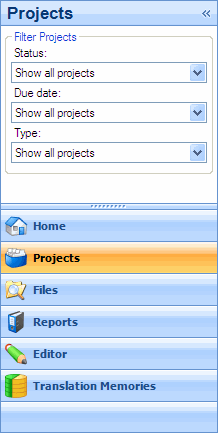
.In the Projects view, the navigation pane is where you can filter what projects are displayed in the right-hand pane.
By default the navigation pane is expanded. To minimize the navigation
pane, click the Minimize the Navigation Pane
button at the top of the navigation pane.
To expand the navigation pane, click the Expand
the navigation pane button .
There are three different criteria that you can use to filter what projects are displayed on the right-hand pane. Selecting any choice from these three options will exclude criteria that do not match the selection.
 |
|
|
|
|