at the top of the navigation pane. To expand the navigation pane, click the Expand the navigation pane button
  .
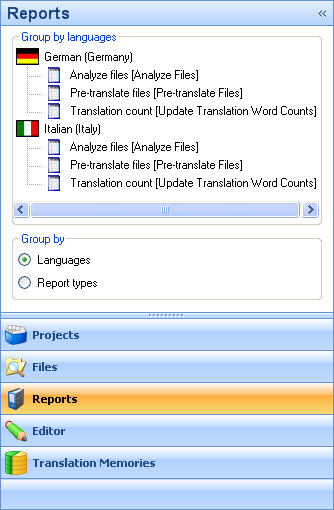
.In the Reports view, the navigation pane shows reports that have been generated for the active project. These reports are automatically generated when you create a project.
By default the navigation pane is expanded. To minimize the navigation pane, click the Minimize the Navigation Pane button at the top of the navigation pane. To expand the navigation pane, click the Expand the navigation pane button .
By default the reports are grouped by the target language for which the report is for. You can also group the reports by type. To change how the reports are grouped, select either Languages or Report types under Group by.