The Welcome View Navigation Pane


Welcome_Navigation_pane.png

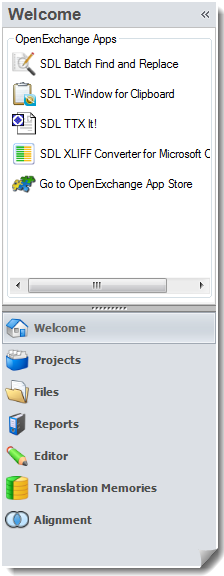
In the Welcome view, the navigation pane shows:

  • A list of selected help topics chosen to help you get started in the system.

  • A link to a sample project that can be used for testing and familiarization purposes.

  • A link to the latest news pertaining to SDL Trados Studio.


By default the navigation pane is expanded.

To minimize the navigation pane, click the Minimize the Navigation Pane button nav_close.jpg at the top of the navigation pane.

To expand the navigation pane, click the Expand the navigation pane button expand_nav_pane.jpg.


Related Topics

Overview: Home View Screen Layout and Functionality

SDL Trados Studio Options


      We welcome your comments about the documentation. Click here to send us an email: techcomms@sdl.com.

Topic:  Published: November 10, 2014