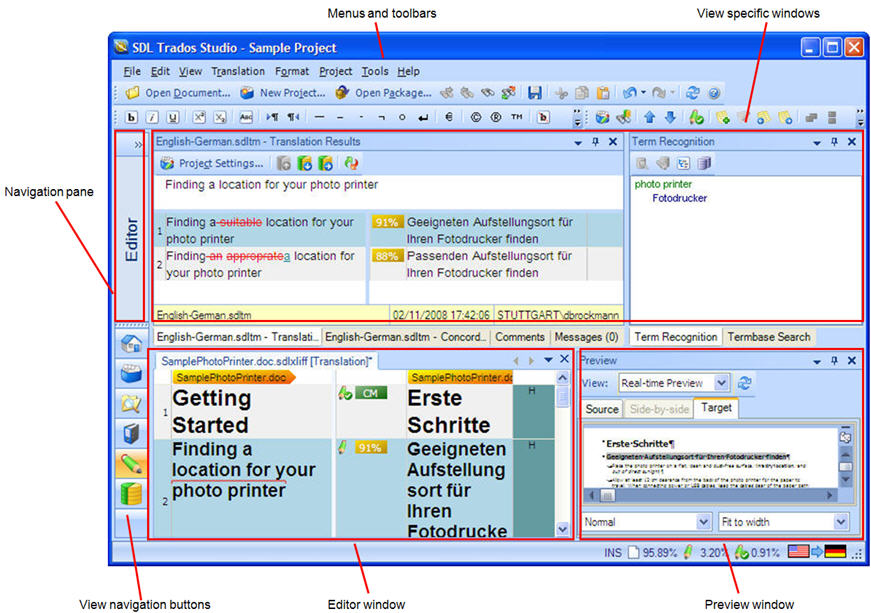
The Editor view contains the following components:
Navigation pane, where you can see the documents that are currently open and navigate between them.
Menus and toolbars containing editing tools.
Editor window where you perform translation.
A set of tabbed windows that appear above the Editor window. These include a translation results window, a concordance window, a comments window, a messages window,a term recognition window and term search window.
A translation preview window that is updated in real time as you type.
You have many options for personalizing the Editor view. For example, you can resize the Editor window so that it fills the screen and the windows can be rearranged or hidden to suit the way you work.