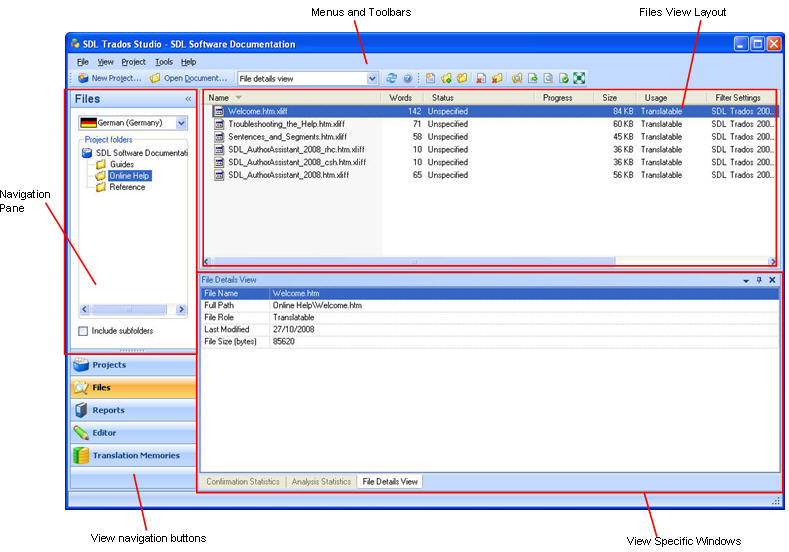
The Files view contains the following components:
Navigation pane, select the language for which you want to see the project files and you can see the folder structure for that language within the project.
Menus and toolbars containing tools to take action on files.
A window at the top of the screen that allows you to select different layouts to change the columns of information displayed for each file. You can also sort and group the columns of information.
A set of tabbed windows that appear at the bottom of the screen. These include a Confirmation Statistics, Analysis Statistics and a File Details window.
You have many options for personalizing the Files view. For example, you can resize, rearrange and hide the windows to suit the way you work.
Confirmation Statistics Window