If you select the
Restricted option in
the
Attribute Mask section of the TM definition page, the attribute selection fields
will appear, allowing you to select TM entry attributes that will
be available when you edit TM entries. If you don't want specific
TM Entry attributes to apply to a particular TM, you could use the
attribute mask to prevent it from appearing.
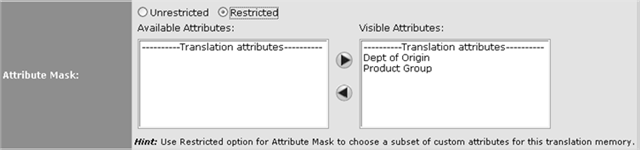
For example, you might create TM entry attributes
for selecting a department and product groups with which a particular
TM entry can be associated:

Figure 25: TM Entry attribute for product component
with which to associate an entry
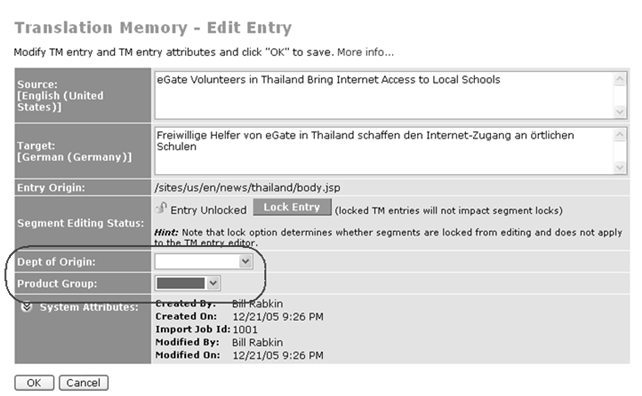
When you edit a TM entry in this TM, you see
these attributes:

Figure 26: TM Entry attribute displaying in TM
Entry Editor
If you didn't want these attributes to appear, you could move them
out of the
Visible Attributes box.