You can configure the settings for WorldServer file types in . You can have multiple filter configurations for each
file type.
Each filter is designed to recognize what is translatable text and
what is formatting in an asset, and to handle the formatting, subject
to certain configuration options. The details in this topic can help
you obtain the segmentation you need for translation, and the proper
format after saving.
 |
Note: The Binary File Type
is not configurable.
|
Filter configurations customize two of the main jobs performed by
filters: segmenting and recomposing.
Decomposing the Asset: Segmentation
When an asset is segmented, the filter has two basic considerations
for determining when to create a new segment: markup and "delimiters."
In Browser Workbench, you only see the source segments that are marked
for translation by default.
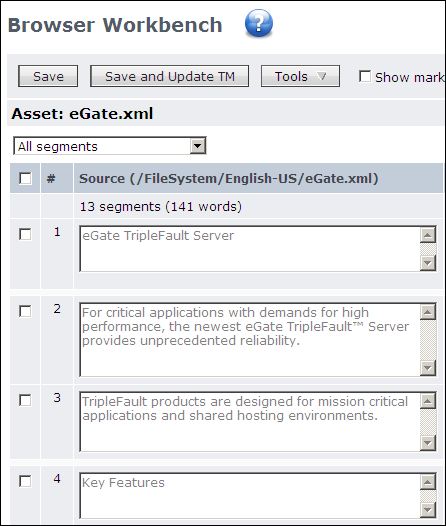
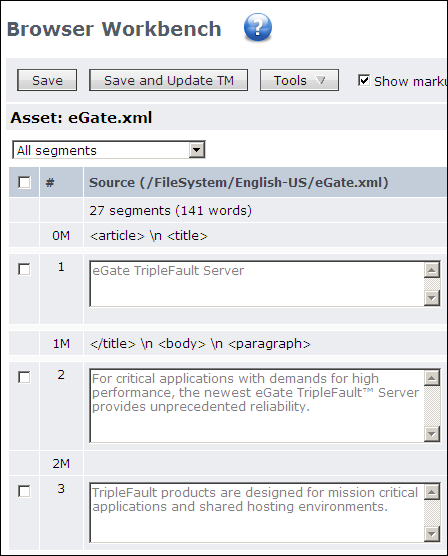
You can enable “Show Markup” in the workbench to display the
markup segments, which are hidden by default. “Show Markup” is not available for all filters. In cases where
it is not, Browser Workbench the markup is not available it is verbose
and would not provide useful information.
-
Workbench Presentation of SegmentsAfter an asset is segmented, if it is associated with a translation memory, it is leveraged against that TM, and a match score is assigned to each segment. By default, all text segments are displayed when you open the asset in a workbench. However, you can narrow the view of which segments are presented by a view category like “All except ICE and 100%”, “All non-translated”, “All with comments”, or “All pending review”. These “views” are sometimes referred to as filters because they filter out data. However, they should not be confused with the content filters that are applied during segmentation.
-
Sentence BreakingAfter the filter processes markup, it further segments the asset, looking for “sentence breaking” delimiters.When you open a text file, which has minimal markup, segments basically are sentences, delimited by periods (or question and exclamation marks). When the filter comes to one of these, it ends the segment. The Text Studio File Type also lets you specify structure and inline patterns to use.If the file contains markup in addition to text, the segmentation process first segments based on the markup, then it makes another pass based on the “sentence breaking” delimiters. For example, the HTML Studio File Type extracts everything in a paragraph (<p>) element first, then breaks up sentences in the paragraph if it contains more than one sentence.
Decomposing the Asset: Formatting Encodings
In the entities example,
a configuration option (in the XML Studio File Type family and HTML
Studio File Type) lets you “register” entities.
If you register an entity it will always be presented as a character
(for example, “
<
”). To have it presented
as an entity (for example, “
<
”), you should
not register it. You can also control how these entities are handled
when you save the asset. See the “XML Entity
Conversion Settings” help topic for more information on handling
entities.