Welcome View Screen Layout and Functionality
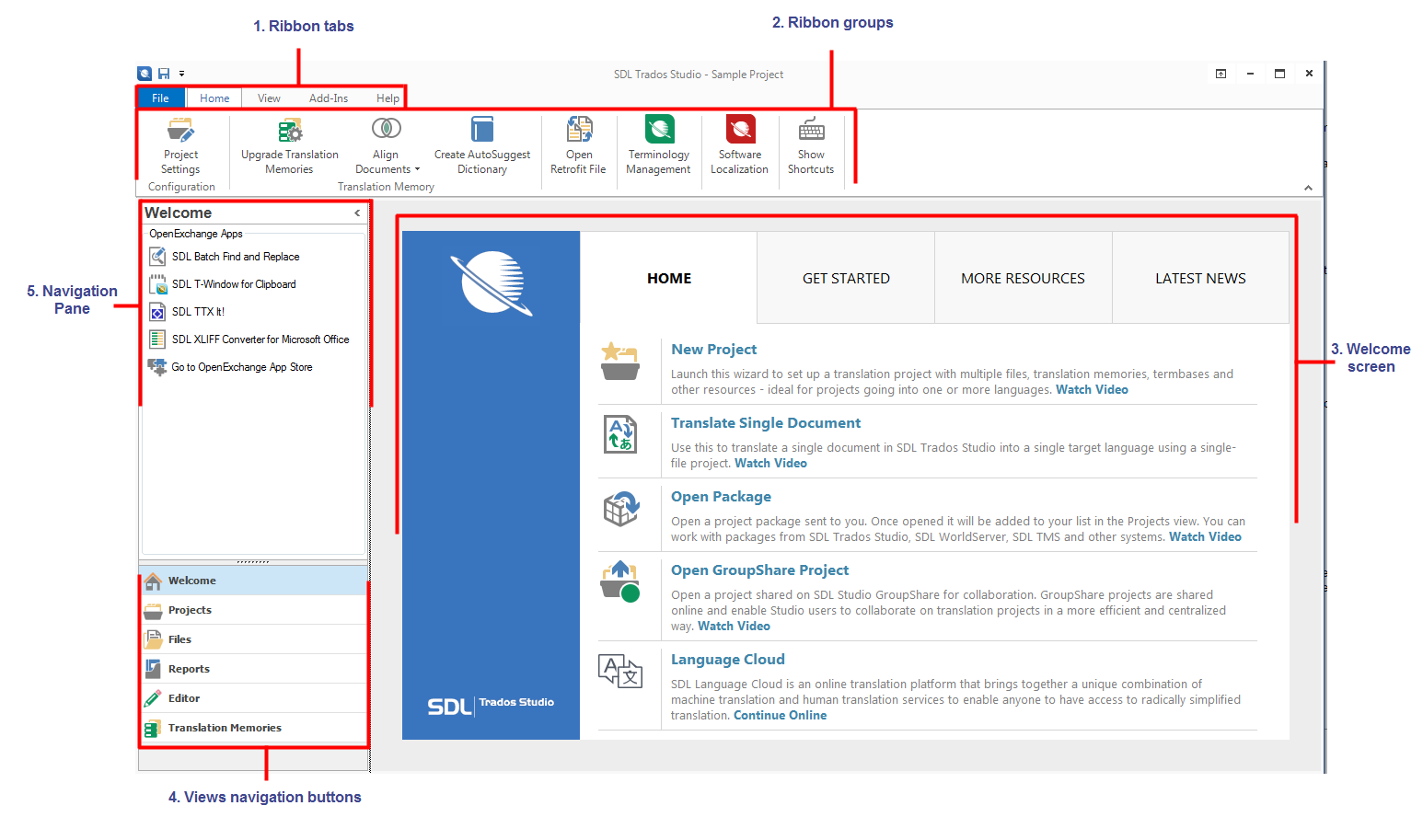
The Welcome view contains the following
components:
Ribbon tabs which contain SDL Trados Studio
commands organized into groups.
Ribbon groups which contain all the commands
that you need to start working in Studio.
The Welcome Screen which containing direct
access to main Studio functionality, a selection of Help resources
to help you get started with Studio and links to other useful information
and news.
- The View navigation buttons from where you can switch to other
view and access Studio functionality related to that view.
- Navigation pane
which displays the default apps included into Studio. These are the
top five most used Studio apps but you can download more from the
SDL Open Exchange and
add them to your Add-Ins
tab. The Studio apps extend the functionality of your Studio version.
Related Topics
Overview:
Screen Layout and Functionality
Options
Dialog Box > Home View
About the Ribbon