

| Code Examples |
In this chapter you will learn how to programmatically create and configure translation memories.
There are various operations that you can typically perform on translation memories (TMs) and which can be automated through the Language Platform API. These operations are as follows:
- creating TMs
- adding and modifying TM fields
- adding and modifying language resources (segmentation rules, variables, etc.)
- exporting and importing TM content
- adding translation units (TUs) to a TM
- performing TM lookup operations
- maintaining TM databases
In the following exercises you will find code snippets and highly simplified sample applications that are implemented in distinct classes.
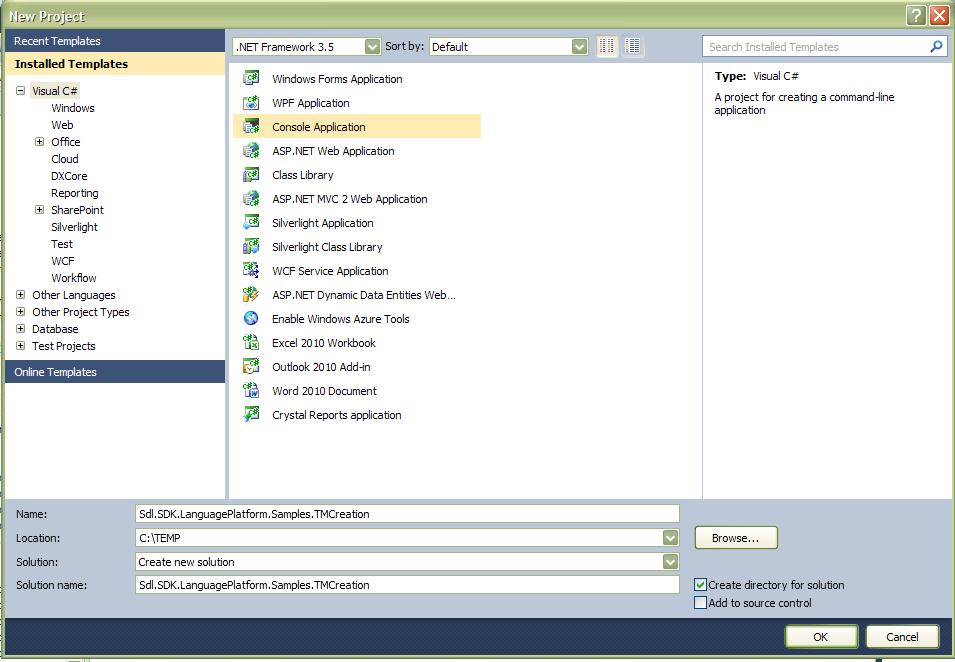
Create a new C# project in Microsoft Visual Studio 2010 called Sdl.SDK.LanguagePlatform.Samples.TmAutomation. It is sufficient to create a simple console application.
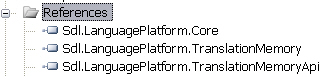
Add the following assemblies as references, which you will find in the installation folder of SDL Trados Studio 2017, usually C:\Program Files\SDL\SDL Trados Studio\Studio5:
- Sdl.LanguagePlatform.Core
- Sdl.LanguagePlatform.TranslationMemory
- Sdl.LanguagePlatform.TranslationMemoryApi
Each class that you add needs to use the following namespaces: This class needs to use the following namespaces:
- Sdl.LanguagePlatform.TranslationMemoryApi
- Sdl.LanguagePlatform.TranslationMemory
- Sdl.LanguagePlatform.Core.Tokenization
- Sdl.LanguagePlatform.Core
 CommunityComments