

| Connecting to a TM Server |
In this chapter you will learn how to establish a connection to an SDL TM Server programmatically.
 Add a New Class
Start by adding a class called ServerConnector to your project. Then add a public function called Connect. In this function you create a translation service provider object using the TranslationProviderServer method, which requires the following parameters:
- The server URI (e.g. http://tmserv)
- A boolean flag to indicate whether the user that is logging in is a Windows user (i.e. a user taken from Active Directory) or not
- The user name
- The password
Example:
C#
/// <summary>
/// Connects to TranslationProviderServer.
/// </summary>
public TranslationProviderServer Connect()
{
    return new TranslationProviderServer(this.GetUri(), false, _userName, _password);
}
Below you see the logon screen of the SDL TM Server manager, which reflects the various user types supported by the system:
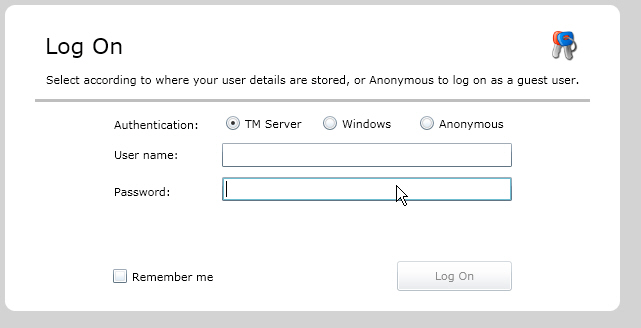
Last, create a function that returns the SDL TM Server URI string. The example below connects to an SDL TM test server:
C#
/// <summary>
/// Gets adress of a test server to connect to.
/// </summary>
/// <returns>Adress of the test server.</returns>
private Uri GetUri()
{
    return new Uri(_serverUri);
}
CommunityComments