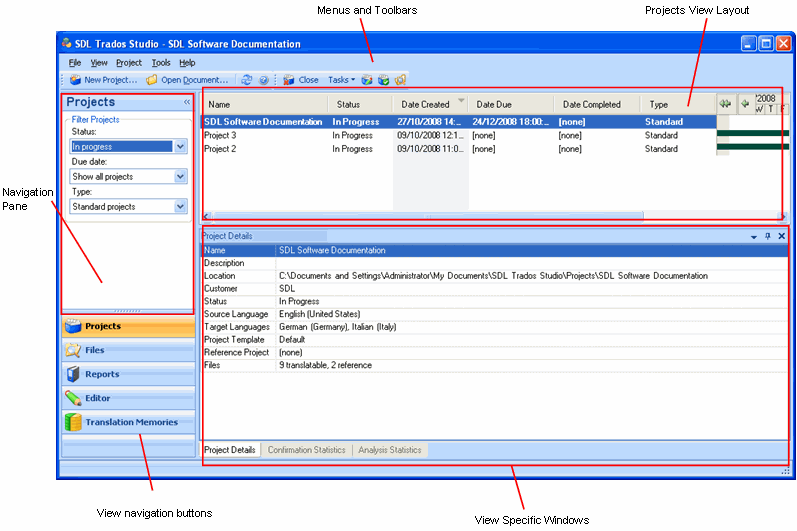
The Projects view contains the following components:
Navigation pane, where you can select project criteria to filter what projects are displayed in the right-hand pane.
Menus and toolbars containing tools to take action on the projects.
A window that appears at the top of the screen that allows you to change the layout of columns. You can also sort and group the columns of information.
A set of tabbed windows that appear at the bottom of the screen. These include a Confirmation Statistics, Analysis Statistics and a Project Details window.
You have many options for personalizing the Projects view. For example, you can resize, rearrange and hide the windows to suit the way you work.