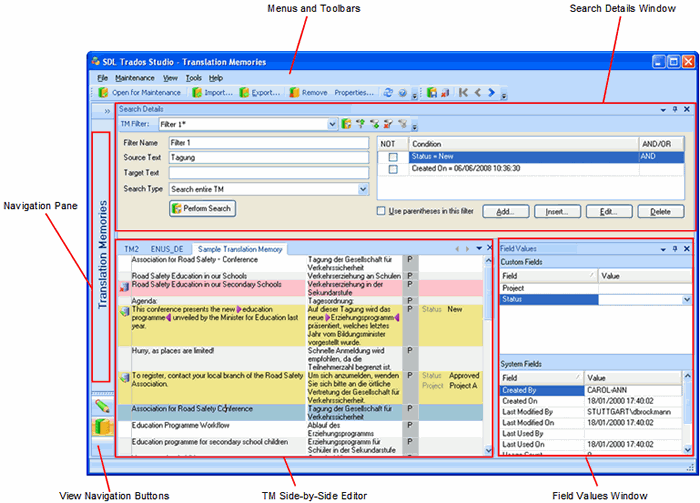
The Translation Memories view contains the following components:
Navigation pane, where you can see the translation memories that are currently open and navigate between them. You also see language resource templates.
Menus and toolbars containing maintenance tools.
TM side-by-side editor window, where you perform maintenance on your translation memories.
Search Details window, where you create and apply filters to your translation memories.
Field Values window, where you view and edit field values for the selected translation unit.
You have many options for personalizing the Translation Memories view. For example, you can re-size the TM side-by-side editor window so that it fills the screen and the windows can be rearranged or hidden to suit the way you work.