A Quality Model enables you to categorize translation errors, to track trends and
create quantifiable measures of the quality of a translation. This quality measure can be used to
automatically accept or reject a translation based on certain thresholds
that you have established. In addition, the quality measure can be
tracked across time across different vendors to assess the quality
levels provided by your vendors (or translators).
WorldServer allows you to define quality models to express the different
error categories and severities that can be used by a reviewer. After
a reviewer has set these error categories, you can generate reports
from them on the overall quality of a translation.
Review models are managed from a page located at . This page allows you to add, delete and edit review
models.
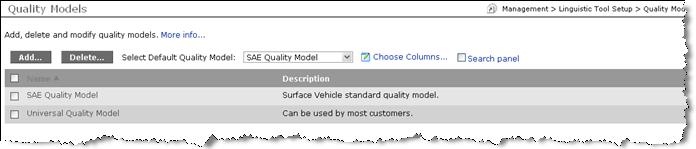
In addition, this page allows users to select the “default” review
model. This model is used for ad hoc asset editing. The first quality model you create will serve as
the default. During project creation the quality model must be specified
explicitly in the project creation Advanced dialog. If
there are no models defined in the system the drop down box is not
available. If a user deletes default quality model, the first review
model from list of available models sorted by name becomes the default.